> ## Documentation Index
> Fetch the complete documentation index at: https://dub-lemonsqueezy-importer.mintlify.site/llms.txt
> Use this file to discover all available pages before exploring further.
# Migrating from Lemon Squeezy
> Easily migrate your affiliate program from Lemon Squeezy to Dub Partners in just a few clicks.
export const ImageLink = ({src, alt, href, cta, className = ""}) => ;
Dub Partners is only available on [Business plans and
above](https://dub.co/pricing/partners).
Lemon Squeezy is a popular merchant-of-record platform with a built-in Affiliate Hub, making it easy to launch an affiliate program alongside your store.
As your affiliate program grows, a few limitations tend to show up:
1. **Rigid payouts**: Payouts only run on Lemon Squeezy's own fixed schedule (created on the 1st/15th, paid on the 14th/28th), with a mandatory 30-day hold on every commission – there's no way to run payouts on your own schedule.
2. **Only per-sale commissions**: You can only set a flat-rate or percentage commission per sale (per affiliate or per product) – there's no support for per-click or per-lead rewards, conditional rewards, or bounties.
3. **No affiliate groups or tiers**: Every affiliate in a program is treated the same way – there's no way to segment partners into groups or tiers with different terms.
4. **No embedded, white-labeled dashboard**: Affiliates manage their links, referrals, and payouts entirely from Lemon Squeezy's own hosted Affiliate Hub, which can't be embedded or white-labeled inside your own application.
**This is where [Dub Partners](https://dub.co/partners) comes in.**
1. **Automated payouts:** You can [pay your partners globally](/help/article/partner-payouts) in 1-click, with tax compliance built-in, so you can have peace of mind knowing that all payouts are completed successfully.
2. **Advanced reward structures**: You can choose between [3 reward types](/help/article/partner-rewards#configuring-reward-types) – per click, per lead, and per sale (flat/percentage). You can also set different [reward conditions](/help/article/partner-rewards#adding-reward-conditions) (e.g., a higher reward for customers based in the U.S. vs other countries) and create [bounties](/help/article/program-bounties) to provide additional rewards for your affiliates.
3. **White-labeling**: You can [embed a white-labeled referral dashboard into your application](/docs/partners/embedded-referrals) for a better user experience.
4. **Powerful partner network**: With over 7,000 active partners in our network, Dub makes it easy to find and recruit high-performing partners with a proven track record of driving results.
In this article, we'll learn how to import your Lemon Squeezy affiliate program to [Dub Partners](/help/article/dub-partners) for a more powerful, scalable, and branded partner management experience.
## How to migrate from Lemon Squeezy to Dub?
If you're looking to migrate from Lemon Squeezy to Dub Partners, we have a custom migration tool that will help you migrate everything over in just a few clicks – without breaking any existing Lemon Squeezy affiliate links.
Before starting the migration process, you'll need to add a custom domain **and** set a default URL on your Dub program. This is used to create short links for each affiliate link that we import from Lemon Squeezy, and the import will fail without both set up.
If you haven't added a custom domain to Dub yet, you can [follow this guide to set that up](/help/article/how-to-add-custom-domain).
Next, [set up conversion tracking](/docs/quickstart/server) to track signup and sale events. We also have some [in-app guides that you can reference here](https://app.dub.co/guides).
For backward compatibility, we also recommend setting up [client-side click-tracking](/docs/sdks/client-side/features/click-tracking) when installing the [Dub Analytics script](/docs/sdks/client-side/introduction) on your site. This will ensure all your existing `domain.com?aff=1234` links will keep working as expected, which gives affiliates time to update their links to the new format.
You can [follow our guide](/docs/sdks/client-side/features/click-tracking) on how to set up client-side click-tracking for your Dub short links to set that up.
Go to [Settings → API on Lemon Squeezy](https://app.lemonsqueezy.com/settings/api) and create a new API key:
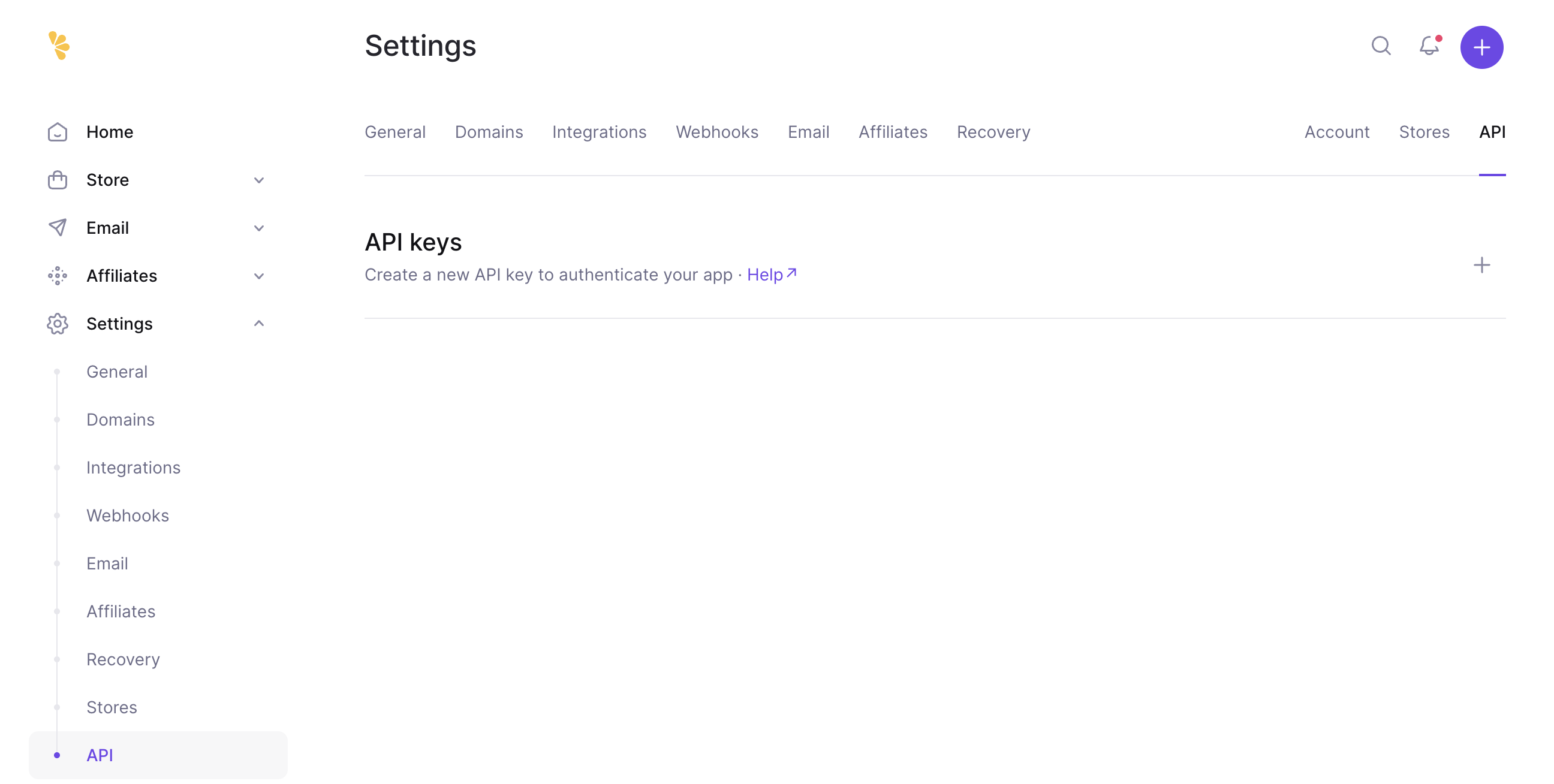
Make sure you create a **live-mode** API key (not a test-mode key) if you're migrating a production affiliate program.
We will use this API key to retrieve and import your existing Lemon Squeezy store to Dub.
Once you've [set up your Dub partner program](/help/article/setting-up-your-program), go to your [Partners tab](https://app.dub.co/program/partners), click on the `⋮` button and select "Import from Lemon Squeezy".
To save you some time, [here's a quicklink](https://app.dub.co/program/partners?import=lemonsqueezy) that will get you directly to the Lemon Squeezy import flow.
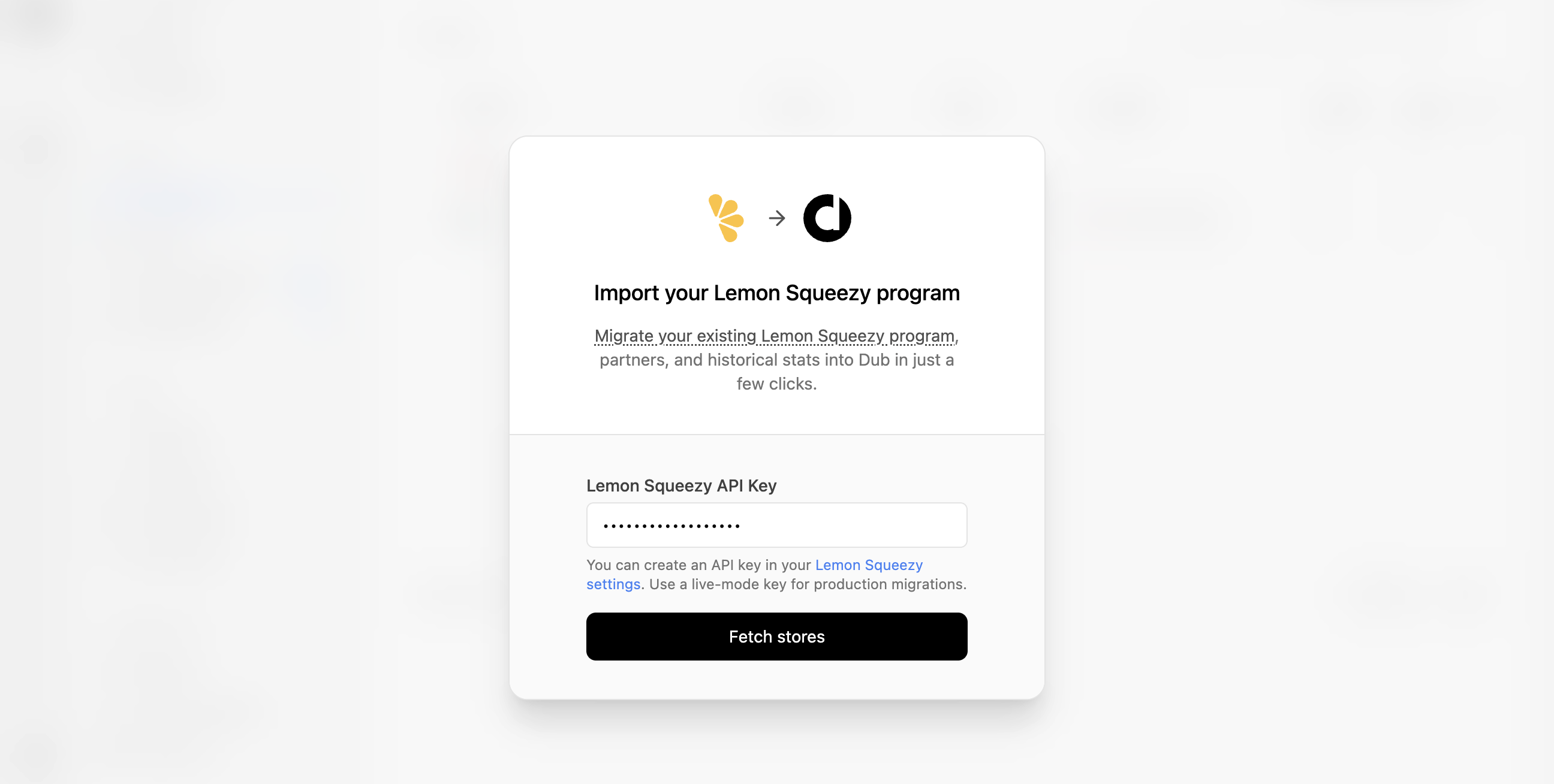
Paste your Lemon Squeezy API key and click **Fetch stores**. Select the store you want to import and click **Import program** to kick off the import.
If you have multiple stores on Lemon Squeezy, you can [import multiple stores](#migrating-multiple-stores) into Dub as well.
The import runs in the background, and you'll receive an email once it's complete.
## What data is migrated?
Our Lemon Squeezy migration tool imports the following attributes to Dub Partners:
### Affiliates / Partners
We only import affiliates with a `status` of `active` on Lemon Squeezy – pending or disabled affiliates are skipped, along with any affiliate that doesn't have an email on file. Since Lemon Squeezy doesn't have the concept of affiliate groups or campaigns, all imported affiliates land in your program's default [partner group](/help/article/partner-groups).
Each imported partner gets a Dub partner link, where the link's key is set to their Lemon Squeezy affiliate ID – this is used to attribute future sales correctly. We also import each partner's `user_email` and `user_name`.
### Customers
We only import customers that have a non-empty affiliates relationship on Lemon Squeezy – customers with no associated affiliate are not imported. Each customer's `externalId` is set to their Lemon Squeezy customer ID, and they're attributed to the first affiliate ID (that we've imported a partner link for) associated with them.
Customers that can't be matched to an imported partner link are skipped.
### Commissions
We import commissions from two sources on Lemon Squeezy:
1. **Orders** with a non-null `affiliate_id`
2. **Subscription invoices** with a non-null `affiliate_id`, excluding those with `billing_reason: "initial"` (to avoid double-counting the first subscription charge, which is already covered by the order)
Lemon Squeezy's order/invoice status maps to Dub commission statuses as follows:
| Lemon Squeezy status | Dub |
| ------------------------------ | ------------ |
| `paid` | `Paid` |
| `pending` | `Pending` |
| `refunded`, `partial_refund` | `Canceled` |
| `void`, `failed`, `fraudulent` | Not imported |
| Any other status | `Pending` |
We use `subtotal_usd` for the sale amount where available, falling back to a currency conversion of `subtotal` otherwise.
Additionally, Dub also supports 3 extra commission states that aren't set by the importer, but that you can use going forward:
* `Processed`: When a commission has been added to a [payout](/help/article/partner-payouts) (after any applicable holding period).
* `Fraud`: Useful for marking a sale as fraudulent and excluding it from any future payouts.
* `Duplicate`: Useful for marking if a commission was rewarded more than once and needs to be marked as a duplicate event.
The importer is idempotent – each imported order/invoice is tracked using an `invoiceId` of the form `ls_order_{id}` or `ls_invoice_{id}`, so it's always safe to re-run.
If there are any other attributes that you'd like to see migrated (or if you would like to customize any of the rules above), please [reach out to us](https://dub.co/contact/support) and let us know!
## What isn't migrated?
The following Lemon Squeezy data is **not** migrated to Dub:
* Pending or disabled affiliates
* Affiliate groups / campaigns (Lemon Squeezy doesn't have this concept)
* Products, variants, discounts, and license keys
* Non-affiliate customers
* Payout / PayPal history
* Ongoing sync – this is a one-time migration, not a live webhook-based sync
* Your Lemon Squeezy commission percentages – these aren't automatically mapped to Dub rewards
## Migrating multiple stores
Lemon Squeezy affiliates are scoped to a single store. If you run multiple stores, you can migrate each of them to Dub – just re-run the import flow and select a different store each time.
To start another import flow, go to your program's **Partners** tab and click on the `⋮` button next to **Invite partner**. From the dropdown, select **Import from Lemon Squeezy**.
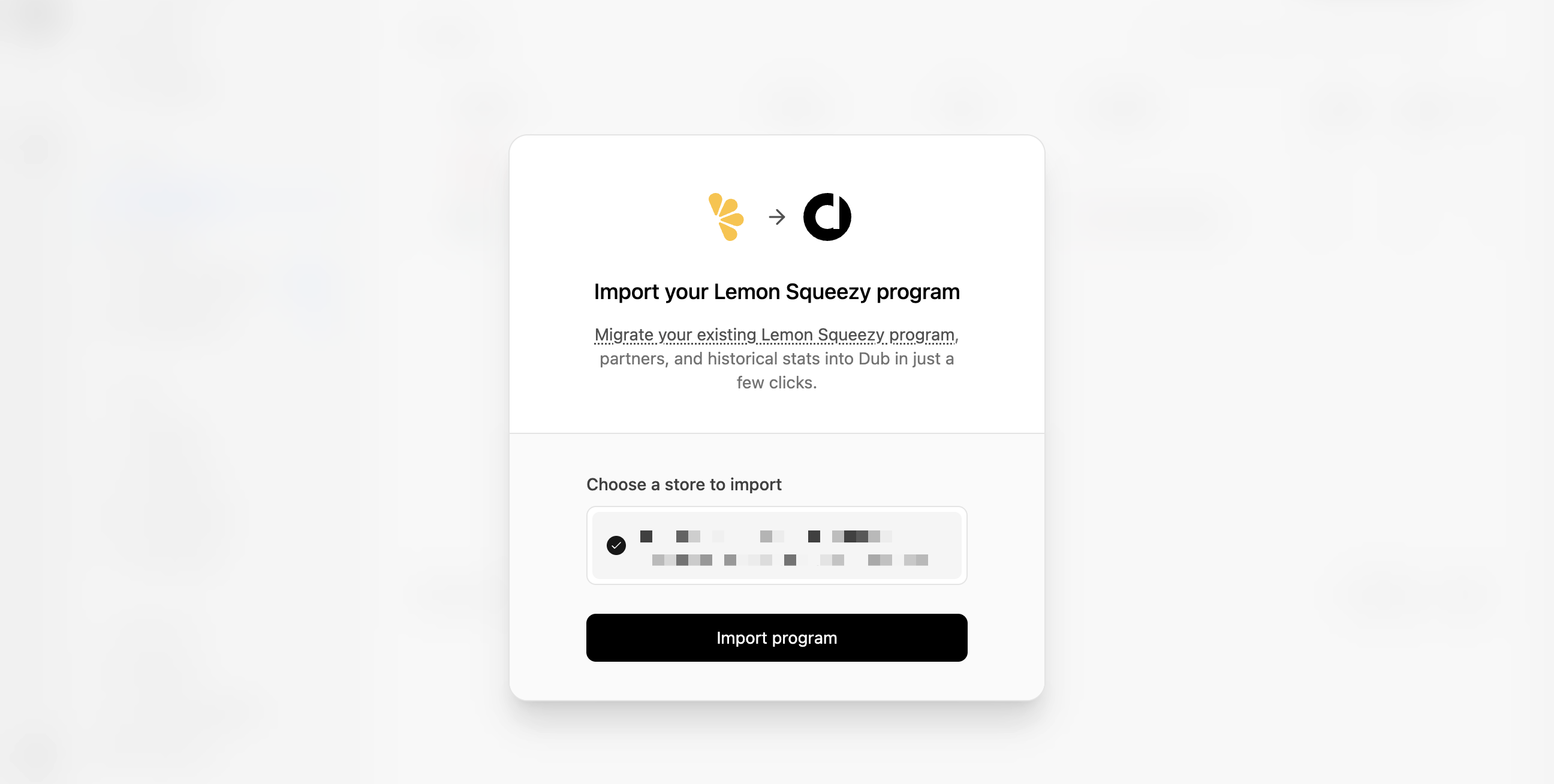
Our importer is built in an idempotent fashion (partners are matched by email, customers by external ID, and commissions by invoice ID), so it will import everything only once – it's always safe to re-run.
## Next steps
After importing your program, here are some recommended next steps:
### 1. Set up your bank account for partner payouts
Dub Partners supports [1-click payouts](/help/article/partner-payouts) to partners all across the globe.
We generally recommend using ACH for partner payouts as it is the most cost-effective option. Here's [how you can set up your bank account](/help/article/how-to-set-up-bank-account) for ACH payouts.
### 2. Notify your affiliates about the platform change
Next, you'd want to reach out to your existing partners and let them know about the platform change. To do that, you can send them an email with the following example verbiage:
> Hey,
>
> Starting today, we are switching the \[Your Company] Affiliate Program from Lemon Squeezy to [Dub Partners](https://dub.co/partners/).
>
> To get started, follow these steps:
>
> 1. Sign up for a Dub Partners account here: `partners.dub.co/{your_program_slug}/register`
> 2. [Connect a payout method](https://partners.dub.co/settings/payouts) to receive your commissions.
> 3. Start sharing your shiny new referral link with your audience 🚀
>
> Let us know if you have any questions!
## Take your affiliate program to the next level with Dub
Ready to take your affiliate program to the next level? [Sign up today](https://app.dub.co/register) and join companies like **Beehiiv**, **[Framer](https://dub.co/customers/framer), Superhuman, Granola**, and more that use Dub Partners to run high-performing affiliate programs.
Have any questions? Feel free to [reach out to us](https://dub.co/contact)!